Games
Little adventures for your typing skills. Pick a game and make each word count.


Typing games that build real keyboard skills
Typing games on Typekute turn keyboard practice into short rounds where every correct word counts. You type real English words to clear a path in Star Sprint, hit the beat in Rhythm Keys or flip matching cards in Memory Garden, and each round shows your score, accuracy and best result.
The games run in the browser and use the same keyboard setup as the rest of the site. Start on easy if you are still learning where the keys are, or choose hard when you want a fast typing game that pushes your speed. When a round shows a weak spot, the touch typing lessons and typing practice pages help you fix it.
How to play typing games on Typekute
You can start a round in under a minute. Follow these steps the first time, then jump straight to your favourite game.
- Check that the language and keyboard setup match the keyboard you are using.
- Pick one of the three games: Star Sprint, Rhythm Keys or Memory Garden.
- Choose Campaign or Arcade and set the difficulty to easy, medium or hard.
- Type each word exactly as shown, including capitals, and keep your eyes on the screen.
- Read your score and accuracy, pick an upgrade between stages and try to beat your best.
Three typing games: reflex, rhythm and memory
Typekute has three typing games, and each one trains a different part of typing. Star Sprint rewards quick, accurate reactions, Rhythm Keys rewards steady timing, and Memory Garden rewards reading carefully before you type.
Star Sprint: a fast typing game against the clock
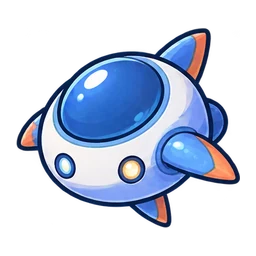
Star Sprint is a reflex game: you type the word on an enemy to clear the path ahead. Enemies move faster in later stages, and the last stage of the campaign ends with a boss. Between stages you choose upgrades for your weapon, such as piercing or plasma shots, and pet companions help you fight.
Because a wrong letter wastes time, Star Sprint quickly shows whether you are guessing or really know the keys. It is the best choice when you want a typing speed game that still punishes careless mistakes. Play Star Sprint.
Rhythm Keys: type on the beat
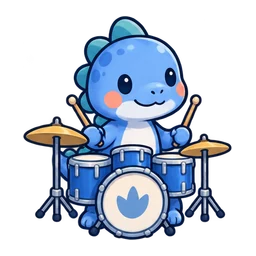
Rhythm Keys is a music game: you type the text shown on screen in time with the beat. Each note has a timing window, and the Focus upgrade makes notes arrive less often when you need a breather.
Typing in rhythm trains an even pace instead of bursts and pauses. That steady flow is what makes longer texts feel easier later. Play Rhythm Keys.
Memory Garden: read, remember, then type
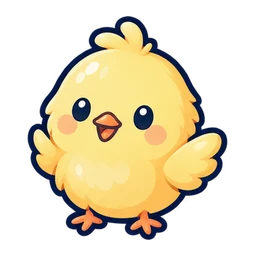
Memory Garden is a matching game: you type the label on a card to flip it and find its pair. Cards are shown for a short preview, and the preview gets shorter in later stages.
The words are short, so Memory Garden works well for beginners and for typing games for kids. It also teaches a habit that matters in every typing task: read the word fully before your fingers move. Play Memory Garden.
Which typing game should you play first?
Start with Memory Garden if you are new to the keyboard, Rhythm Keys if you can type words but stop and start a lot, and Star Sprint if you already type without looking and want pressure. You can switch at any time, and your best score is kept for each game.
A good routine is to rotate: one round of each game trains accuracy, rhythm and speed in the same session. If one game feels much harder than the others, that is the skill to practise next.
Typing games for kids and beginners
The best typing games for kids are short, use simple words and give instant feedback, and all three Typekute games can be set up that way. Choose easy difficulty and start with Memory Garden, which uses short words in easy rounds.
Words are sorted by length into difficulty bands, so easy rounds use short words and hard rounds use longer ones. A child who is still searching for letters can finish a round on easy, see a score and want to play again. That repeat play is where keyboard learning happens.
Parents often ask what makes a typing game good for kids. Look for three things: real words instead of random letters, a difficulty a child can finish, and feedback after every word. Typekute games show each correct word, misses and a score at the end of every round.
How to help a child learn the keyboard with games
Keep sessions short, around ten minutes, and praise accuracy more than speed. If a child keeps looking at the keyboard, switch to a lesson that teaches the home row and come back to the game afterwards.
Typing games for adults work the same way. Beginners of any age learn faster when the game is easy enough to finish and hard enough to need focus, so raise the difficulty only when rounds feel comfortable.
Play typing games in your language and on your keyboard
Every Typekute game uses real words in the language you choose, with the keyboard layout or input method for that language. This English edition uses QWERTY, and you can switch to any of the 30 languages on the site, from Spanish and German to Japanese, Hindi and Arabic.
Each language has its own word bank of up to about 4,500 words, so rounds do not repeat the same few words. Some languages have smaller banks where fewer source words are available.
The input method follows the language. Vietnamese games accept Telex or VNI, Chinese games use Pinyin, Japanese games use romaji or kana input, and Hindi games use the InScript layout. Pick the setup that matches how you normally type in that language.
Direct typing or IME and mobile input
Choose direct typing for a physical keyboard. Choose IME / mobile when you type with an input method, such as Pinyin or Japanese kana, or with the system keyboard on a phone or tablet.
Typing on a phone is a different skill from typing on a computer keyboard. If your goal is faster computer typing, play on a computer whenever you can.
Campaign, Arcade, difficulty and the leaderboard
Each game has two modes: Campaign, with six stages that get harder, and Arcade, for quick rounds. Campaign is the better choice when you want a clear goal; Arcade suits a short break.
Difficulty has three levels: easy, medium and hard. Between campaign stages you pick one upgrade: Power makes your attacks or scoring stronger, Shield protects you from the next misses or hits, and Focus slows the game down a little.
How the leaderboard ranks scores
The leaderboard shows the top 100 scores for each game. It counts campaign runs and ranks them by score; when two players have the same score, the one with higher accuracy ranks higher.
That tie rule is a useful hint: a high score with sloppy typing loses to the same score typed cleanly. Aim for accuracy first and the score follows. You can also change sound, music, effects and audio delay in the settings.
Do typing games really improve your typing?
Yes, typing games improve your typing when you play them with accurate, touch-typing habits. They give you many short repetitions with instant feedback, which is how keyboard skills become automatic.
Games alone have a limit: they reward the words in front of you, not correct finger placement. If you type with two fingers, a game can make two-finger typing faster without teaching you touch typing.
The best way to combine games with practice
Use lessons to learn which finger presses which key, practice to type full sentences, and games to keep the habit fun. A simple plan is one lesson, five minutes of sentence practice and one game round per day.
Watch your accuracy in every round. If it drops below what you reach in practice, slow down on easy difficulty until the keys feel automatic again.
Signs that a typing game is helping
Your accuracy stays high while your score rises, you look at the keyboard less often, and medium difficulty starts to feel like easy did a week earlier. These are the signs that the game is building real skill, not just game knowledge.
If your score rises but accuracy falls, you are rushing. Play one round on a lower difficulty, focus on clean words, and then go back up.
Typing games, lessons or a typing test: which should you use?
Use lessons to learn, practice to build fluency, a test to measure and games to keep going. Each page has a different job, and you get the best results by moving between them.
Start with the touch typing lessons if you still look at the keys. They teach the home row and finger positions step by step, from single keys to words and sentences.
Move to typing practice when you know the keys and want to type longer sentences. The practice planner picks material that targets your weak keys.
Take the typing speed test when you want a number: it reports WPM, raw speed and accuracy for a set time or word count. Come back to the typing games whenever practice starts to feel like work.
Frequently asked questions about typing games
Do typing games actually work?
Yes, typing games work when you play with correct finger placement and keep your accuracy high.
They add many short, focused repetitions with instant feedback. Combine them with lessons so the game strengthens touch typing instead of a hunt-and-peck habit.
What are good typing games?
Good typing games use real words, give instant feedback and let you choose the difficulty.
On Typekute you can play Star Sprint for speed and reflexes, Rhythm Keys for steady timing and Memory Garden for careful reading.
What are fun typing games?
Fun typing games turn each word into an action, such as shooting an enemy, hitting a beat or flipping a card.
Star Sprint, Rhythm Keys and Memory Garden each use that idea, so you can pick the style you enjoy most and still practise real words.
What is a good typing game for kids?
Memory Garden on easy difficulty is a good first typing game for kids.
It uses short words, has no fast enemies and rewards reading each word before typing it. Keep sessions to about ten minutes.
How do you play typing games?
You play typing games by typing the word or text shown on screen as quickly and accurately as you can.
In Star Sprint you type a word to clear the path, in Rhythm Keys you type on the beat, and in Memory Garden you type a label to flip a card.
Can a typing game show how fast you type?
A typing game shows your score and accuracy, but a typing test is the right tool for measuring speed.
Game scores depend on the game rules. The Typekute typing test reports WPM, raw speed and accuracy for a fixed time or number of words.
How do you learn typing with games?
Learn the home row in a lesson first, then use typing games to repeat what you learned.
Start on easy, keep your eyes on the screen and raise the difficulty only when your accuracy stays high.